Build A Mech Guides
Walkthroughs from first scrap bot to Titan—farming, building, arenas, tips, controls, and paints.
Welcome to the Guides Hub
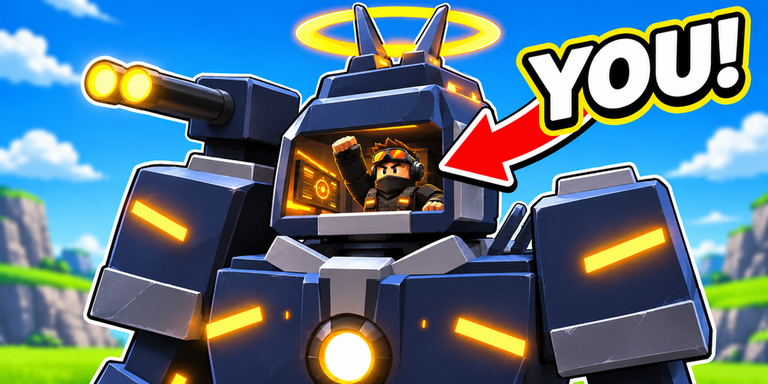
Build A Mech! is Gerwinfootball’s free-to-play Roblox incremental simulator (released ~12 October 2026). You start as a rusty scrap bot, collect parts across 11 wild arenas, assemble up to 30 mechs, chase paints as rare as 1 in 10,000, earn cash even offline, and pilot every mech yourself in ~4-player servers. This hub links every walkthrough on the wiki so you always know what to do next.
New here? Open Getting Started first. Returning after the 8 November 2026 listing refresh? Skim Updates, then jump into the guide that matches your bottleneck.
Featured guides
Getting Started
Day-one checklist: first deposits, which upgrades matter, and how to avoid wasting your first offline payout. Perfect if you just clicked Play on Roblox.
How to Farm Parts
Part piles are the heartbeat of the economy. Learn sweep patterns, cargo timing, when to return to base, and how small servers change contest pressure.
Build Mechs Guide
Scrap-to-Titan building order, what to upgrade first, and how to spend cash so you actually reach late frames among the ~30 mech fantasy without stalling mid-tier.
Arenas Guide
All 11 arenas as a progression ladder—when to push forward, when to farm a band longer, and how mech tier from the Mech Tier List maps to zone difficulty.
Tips and Tricks
High-leverage habits: deposit discipline, one-band pushes, offline logout hygiene, co-op etiquette, and paint budget rules.
Controls Guide
Device-agnostic intents for move, collect, deposit, pilot, and shop—so mobile and desktop pilots stop fumbling mid-haul.
Rare Paints Guide
How to chase finishes near the 1/10,000 dream without bankrupting your next chassis unlock.
Suggested learning path
- Getting Started — survive the first hour.
- Controls — lock in deposit and seating muscle memory.
- Farm Parts — stabilize income.
- Build Mechs — turn income into chassis power.
- Arenas — spend that power in the right zones.
- Tips and Tricks — polish habits.
- Cash & Offline Earnings — keep progress while AFK.
- Rare Paints / Paint Tier List — flex with a budget.
- Codes — claim freebies if redemption ever goes live.
- Scripts — informational only; ban risk applies.
What good Build A Mech! sessions look like
- Short session: Deposit everything, buy one meaningful upgrade, run one arena band, log out with offline income armed.
- Medium session: Clear a harder arena milestone, craft or finish a mid mech, reorganize cargo habits.
- Long session: Push toward Titan steps, test pilot feel on new frames, optionally chase paints without breaking the upgrade budget.
If a session ends with full cargo never deposited, that was a failed session—even if you “explored a lot.”
Cross-links worth pinning
- Tier List Hub — spending priorities.
- Tools Hub — practical cash planning.
- Players Hub — Discord and creator pointers.
- Wiki Overview — map of the whole site.
How we write guides
Guides stay aligned with live facts: released F2P Roblox game, online co-op in small servers, arenas/parts/mechs/paints/offline cash fantasy. We do not invent YouTube IDs or fake patch numbers. When Gerwinfootball ships changes, Updates notes the shift and linked guides get revised.
Community automation exists; the Scripts Hub explains features and risks. These guides assume legitimate play first.
Related FAQs
Browse the questions below, then dive into the child guides. Each child page has its own deeper FAQ block for mechanic-specific answers.
Frequently Asked Questions
Quick answers to the most common questions.
Which Build A Mech guide should I read first?
Start with Getting Started, then Farm Parts and Build Mechs. Use Arenas once you are ready to leave the safest zones.
Do these guides work for mobile and desktop?
Yes. The loop—collect, deposit, upgrade, pilot—is the same; only control layouts differ.
Are the guides updated after patches?
We revise them when mechanics change. Check the Updates Hub for patch context, then return here for the matching walkthrough.
Where do codes and scripts fit in?
Codes (when live) are bonuses on the Codes Hub. Scripts are third-party tools with ban risk documented on the Scripts Hub—not required for Titan.