Build A Mech Scripts
Community autofarm tools, feature breakdowns, and hard safety warnings before you execute anything.
Read this disclaimer first
Using scripts, exploits, or executors can violate Roblox Terms of Use and may get your account warned, banned, or terminated. This wiki documents community tools that players already share so you can understand features and risks. We do not encourage breaking the rules. Everything below is use at your own risk. Prefer legitimate progression via the Guides Hub, Cash guide, and Codes Hub when codes exist.
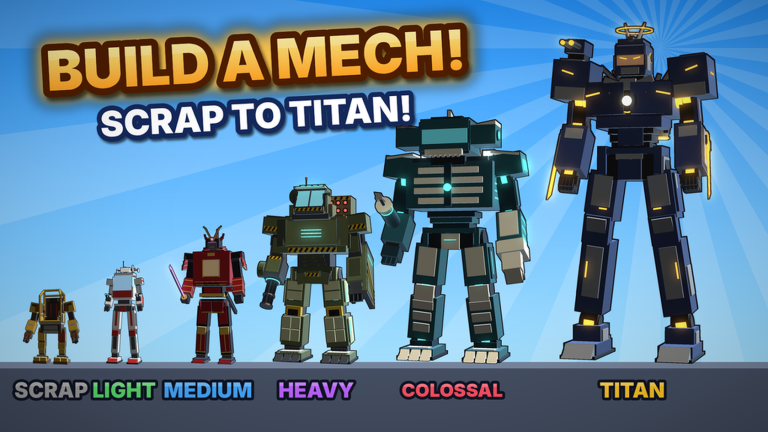
Build A Mech! is Gerwinfootball’s free Roblox incremental simulator (released ~12 October 2026): collect parts in 11 arenas, build toward 30 mechs, chase rare paints, earn offline cash, and pilot every mech in small ~4-player servers. Scripts mainly target that farming and upgrade loop. After the 8 November 2026 Roblox listing refresh, the same autofarm family was still circulating—always retest after patches because hooks break quietly (Updates).
Featured community script (S0ftKillz autofarm)
One widely shared autofarm for Build A Mech! is attributed to S0ftKillz (community posts refreshed around early November 2026). Community paste form:
loadstring(game:HttpGet("https://pastebin.com/raw/VZhHdEcK"))()Paste that line into a supported executor only if you accept the ban risk, then execute while inside Build A Mech!. Script hosts and paste links can change or go offline; if the loadstring fails, the raw paste was moved, deleted, or blocked—do not download random “fixed” .exe files from strangers.
Reported feature set
Players describe tabs such as Main, Parts, Cargo, Combat, Shop, Travel, Visual, and Settings, with toggles along these lines:
- Auto Farm — Runs the core part collection loop with less manual clicking.
- Auto Collect Parts — Picks up part piles in range as you sweep arenas.
- Auto Deposit / Deliver To Base — Returns cargo so your haul actually counts.
- Only Return When Full — Avoids wasted trips with half-empty inventory.
- Auto Buy Parts — Spends cash on shop parts when enabled.
- Auto Mech Upgrades — Pushes upgrade purchases on a schedule you configure.
- Auto Sell Duplicates — Clears spare parts that clog inventory.
- Auto Mob Farm / Attack Nearest Mob — Targets hostile NPC loops where present.
- Auto Enter Mech / Enter Nearest Owned Mech — Seats you in owned frames faster.
- Mech ESP / Part Pile ESP — Visual overlays for mechs and part piles.
- Teleport — Moves you across farm points (high visibility to other players).
- Anti AFK — Reduces idle kick while long farms run.
- Fullbright / Visual helpers — Lighting aids in dark arenas.
- Auto Save / Load Config — Remembers your toggle layout between sessions.
Exact names can shift when the author updates the script. Always open the in-executor GUI and read what each toggle claims to do before leaving it on overnight.
How players typically run a script (informational)
- Install an executor you personally trust (many free tools are malware—research carefully).
- Join the official Build A Mech! place on Roblox.
- Attach the executor to the Roblox client.
- Paste the
loadstringand execute. - Configure farm, deposit, and upgrade toggles for your current mech tier.
- Watch the first few minutes manually to confirm it deposits and does not soft-lock.
If the GUI never appears, the script failed to load or the game updated and broke hooks. Stop retrying blindly; broken scripts that spam remote calls look worse than no script at all.
Safer alternatives to scripting
Most accounts will progress fine without executors:
- Learn efficient routes in How to Farm Parts.
- Climb the chassis ladder with Build Mechs and the Mech Tier List.
- Pick arenas that match your power using the Arenas Guide.
- Keep offline earnings healthy via Cash & Offline Earnings.
- Watch Updates so you are not farming outdated loops after a patch.
- Begin with Getting Started if you are brand new.
Small servers (about four players) already reduce competition for piles. Smart routing often beats reckless automation.
Risk notes specific to Build A Mech!
- Detection risk — Teleports, ESP, and perfect deposit timing are obvious to other players and to anti-cheat heuristics.
- Economy risk — Auto-buy / auto-upgrade can dump your entire cash stack into the wrong mech.
- Progress risk — Auto mob farm in an arena above your tier can destroy a weak chassis and waste repair time.
- Account risk — Any executor session can steal cookies if the tool is malicious—even if the Lua paste itself looks fine.
- Update risk — After patches listed on Updates, scripts often break until authors republish.
Community and support
Script authors usually answer questions in their own Discords, not in the official game server. For legitimate game help, creator links, and social hubs, use the Players Hub. For paint flex goals that scripts cannot guarantee, see the Paint Tier List.
Related pages
Again: scripts are undocumented third-party tools. Use at your own risk. This wiki is not responsible for bans, lost items, or stolen accounts.
Frequently Asked Questions
Quick answers to the most common questions.
Is the S0ftKillz Build A Mech script safe?
No script is fully safe. Executors can ban you or steal accounts. The loadstring is documented for information only—use at your own risk.
What does the autofarm script do?
Reported features include Auto Farm, Auto Collect Parts, Auto Deposit, Auto Buy Parts, Auto Mech Upgrades, Auto Sell Duplicates, Auto Mob Farm, Mech/Part ESP, Teleport, Anti AFK, and config save/load.
Will scripts get me banned?
They can. Automating gameplay with exploits violates Roblox rules and may result in moderation action.
Do I need scripts to reach Titan?
No. Manual farming, smart upgrades, arena progression, and offline cash are enough. Follow the Guides Hub instead if you want a clean account.